Download a blank PDF
| File | Paper | Pages | Orientation | Style | Size | Download |
|---|---|---|---|---|---|---|
| PDFBlank PDF – A4 | A4 (210×297 mm) | 1 | Portrait | Empty | 1.3 KB | Download |
| PDFBlank PDF – US Letter | Letter (8.5×11 in) | 1 | Portrait | Empty | 1.3 KB | Download |
| PDFBlank PDF – US Legal | Legal (8.5×14 in) | 1 | Portrait | Empty | 1.3 KB | Download |
| PDFBlank PDF – A4 landscape | A4 | 1 | Landscape | Empty | 1.3 KB | Download |
| PDFBlank PDF – Letter landscape | Letter | 1 | Landscape | Empty | 1.3 KB | Download |
| PDF5 blank pages | Letter | 5 | Portrait | Empty | 2.7 KB | Download |
| PDF10 blank pages | Letter | 10 | Portrait | Empty | 4.4 KB | Download |
| PDF100 blank pages | Letter | 100 | Portrait | Empty | 36.7 KB | Download |
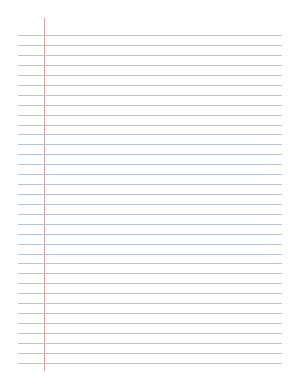
| PDFLined paper PDF – Letter | Letter | 1 | Portrait | Lined (college ruled) | 1.5 KB | Download |
| PDFLined paper PDF – A4 | A4 | 1 | Portrait | Lined (college ruled) | 1.6 KB | Download |
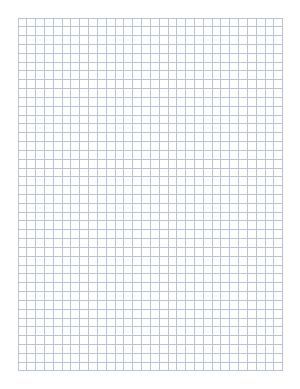
| PDFGrid paper PDF – Letter | Letter | 1 | Portrait | Grid ¼ in | 1.6 KB | Download |
| PDFGrid paper PDF – A4 | A4 | 1 | Portrait | Grid ¼ in | 1.7 KB | Download |
| PDFDot grid PDF – Letter | Letter | 1 | Portrait | Dot grid 5 mm | 84.2 KB | Download |
| PDFDot grid PDF – A4 | A4 | 1 | Portrait | Dot grid 5 mm | 85.5 KB | Download |


A4 vs Letter — which to choose
US Letter (8.5 × 11 in) is the standard in the United States, Canada and parts of Latin America. A4 (210 × 297 mm) is used in the rest of the world. A4 is slightly narrower and taller, so a Letter document printed on A4 gets small extra margins at the bottom, and an A4 document on Letter paper may lose a little at the bottom edge. If you are not sure, use the size your printer's paper tray holds.
| Paper | Inches | Millimeters | PDF points |
|---|---|---|---|
| US Letter | 8.5 × 11 | 216 × 279 | 612 × 792 |
| A4 | 8.27 × 11.69 | 210 × 297 | 595 × 842 |
| US Legal | 8.5 × 14 | 216 × 356 | 612 × 1008 |
Lined, grid and dot PDF pages
- Lined — college-ruled lines (9/32 in) with a red margin line. Good for notes and handwriting.
- Grid — a ¼-inch square grid, the classic graph paper for math, charts and floor plans.
- Dot grid — light dots every 5 mm, popular for bullet journals and sketching.
All three are available in Letter and A4. Print them, or open them in a note app such as GoodNotes or Notability and write on top.
How to create a blank PDF yourself
- Word: open a new blank document, then File → Save As → PDF.
- Google Docs: create an empty document, then File → Download → PDF Document.
- Mac Preview: open any image or PDF, choose File → New from Clipboard or Edit → Insert → Blank Page, then File → Export as PDF.
- Any browser: open
about:blank, press Ctrl+P (Cmd+P on Mac) and choose Save as PDF. Turn off headers and footers so the page stays empty.
How to add a blank page to an existing PDF
In Adobe Acrobat, open Organize Pages, right-click a page and choose Insert Pages → Blank Page. In Mac Preview, select a page in the sidebar and choose Edit → Insert → Blank Page. Without an editor, you can merge our blank PDF with your document using any free "merge PDF" tool.